
Introduction
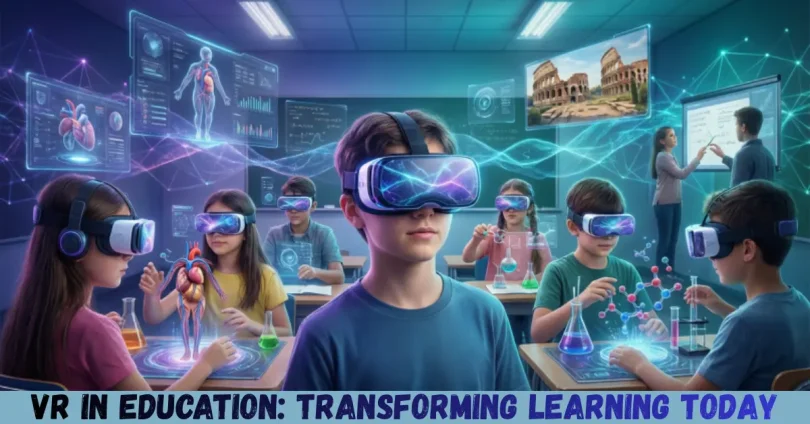
Virtual Reality (VR) is no longer just a futuristic concept or a technology limited to gaming. Today, VR in education is revolutionizing the way students learn, interact, and retain knowledge. Imagine stepping into a historical battlefield, exploring the human body from inside, or experimenting with chemical reactions without the risk of accidents—all from the safety of a classroom. VR makes this possible by providing immersive, interactive experiences that traditional learning methods cannot match.
In recent years, schools, colleges, and online education platforms have increasingly adopted VR tools to enhance learning. These virtual experiences allow students to engage actively with their subjects rather than passively reading textbooks or watching lectures. VR in education also caters to different learning styles. Visual learners can explore 3D environments, auditory learners can benefit from immersive sounds, and kinesthetic learners can interact with simulations to reinforce understanding.
What is VR in Education?
VR in education refers to the use of virtual reality technology to facilitate teaching and learning. It involves creating realistic simulations of real-world environments or entirely fictional worlds where students can interact with content in 3D.
Unlike traditional teaching methods, VR allows students to experience concepts first-hand. For example, in a biology lesson, students can explore the human heart from the inside, seeing how blood flows through chambers and valves. In history, learners can “walk” through ancient civilizations, observe architecture, and interact with historical figures.
VR devices used in education range from high-end headsets like Oculus Quest to affordable smartphone-based VR systems. Educational software and apps are designed to be user-friendly, making it easy for teachers to integrate VR into lessons.
Some examples of VR in education include:
- Virtual science labs: Conduct experiments safely and learn complex concepts.
- Immersive history lessons: Visit historical sites without leaving the classroom.
- Language learning: Practice speaking with virtual characters in real-life scenarios.
- Career training: Medical students, pilots, and engineers can simulate real-world tasks.
In short, VR in education transforms passive learning into an interactive experience, engaging students in ways that traditional methods often cannot.
Why is VR in Education Important?
The importance of VR in education lies in its ability to make learning more effective, engaging, and accessible. Here are the main reasons why it matters:
- Enhanced Engagement: Traditional teaching can sometimes feel monotonous. VR captures students’ attention by making lessons interactive and immersive.
- Experiential Learning: Students learn by doing, which improves understanding and retention of knowledge.
- Safe Environment: VR allows learners to experiment and explore without real-world risks, especially in science, medicine, and engineering.
- Accessibility: Students from remote or underprivileged areas can access experiences that would otherwise be impossible, like visiting museums or laboratories.
- Inclusive Learning: VR caters to different learning styles and abilities, making education more inclusive.
- Future Readiness: Exposure to VR technology prepares students for careers in tech-driven industries.
For these reasons, educators and institutions are investing in VR tools to create more effective and modern learning experiences.
Detailed Step-by-Step Guide to Using VR in Education
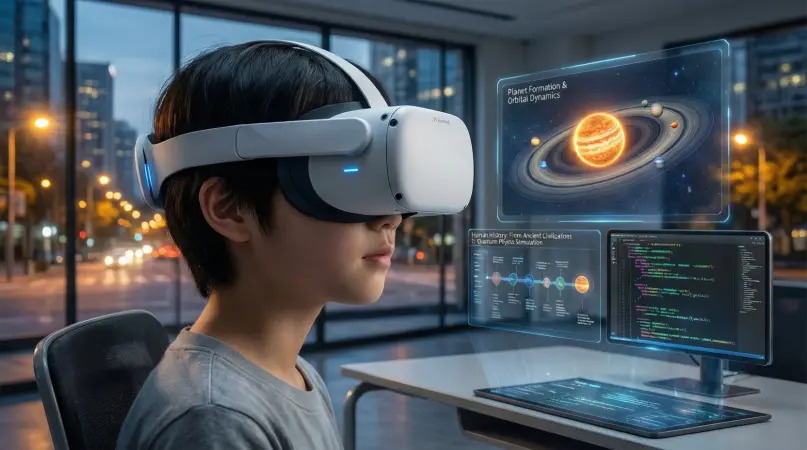
Step 1: Identify Learning Objectives
Before integrating VR, clearly define what you want students to achieve. Are you aiming to enhance understanding of a concept, develop skills, or encourage creativity? For example:
- Science: Understand chemical reactions safely.
- History: Explore ancient civilizations.
- Language: Improve conversational skills through immersive roleplay.
Step 2: Choose the Right VR Equipment
Depending on your budget and requirements, select suitable VR tools:
- High-end headsets: Oculus Quest, HTC Vive – for fully immersive experiences.
- Affordable options: Google Cardboard, Merge VR – for basic VR content using smartphones.
Step 3: Select VR Educational Software
Pick apps and software that align with your learning objectives:
- Anatomy VR apps: For medical or biology students.
- History simulators: For immersive historical experiences.
- STEM-focused VR games: For interactive problem-solving in physics, chemistry, or math.
Step 4: Prepare the Classroom
Set up a safe and comfortable environment:
- Ensure enough space for movement.
- Provide seating for students who cannot stand.
- Maintain a clutter-free area to avoid accidents.
Step 5: Introduce Students to VR
Guide students on how to use VR headsets and controls:
- Give a demonstration before the session.
- Encourage safe use of devices to avoid motion sickness or accidents.
Step 6: Conduct VR Lessons
- Start with short sessions (10–15 minutes) and gradually increase duration.
- Encourage students to explore and interact with content.
- Assign tasks or challenges to reinforce learning.
Step 7: Assess Learning Outcomes
- Conduct quizzes, discussions, or practical exercises to measure understanding.
- Collect feedback on student experience to improve future sessions.
Step 8: Integrate VR with Other Teaching Methods
VR should complement, not replace, traditional methods:
- Use VR for visual or practical lessons.
- Follow up with lectures, assignments, or group discussions.
By following these steps, educators can effectively incorporate VR in education and enhance student engagement and learning outcomes.
Benefits of VR in Education
VR in education offers numerous advantages:
- Immersive Learning Experiences: Students feel present in a virtual environment, enhancing focus and retention.
- Practical Skill Development: VR allows practice of real-world skills without risk.
- Increased Motivation: Interactive lessons make students excited about learning.
- Improved Knowledge Retention: Experiential learning helps students remember concepts longer.
- Global Learning Opportunities: Students can visit virtual locations worldwide without traveling.
- Catering to Different Learning Styles: Visual, auditory, and kinesthetic learners all benefit.
- Encourages Collaboration: Multi-user VR environments allow teamwork and problem-solving.
- Accessibility for Special Needs: VR can provide tailored experiences for students with disabilities.
Disadvantages / Risks of VR in Education
While VR is promising, it comes with some challenges:
- High Costs: Quality VR headsets and software can be expensive for schools.
- Technical Issues: Software bugs, hardware failures, or connectivity problems can disrupt lessons.
- Motion Sickness: Some students may feel nausea or dizziness after prolonged use.
- Limited Content: Not all subjects have VR learning resources yet.
- Overreliance on Technology: Excessive use can reduce human interaction and traditional learning skills.
- Physical Safety: Risk of accidents if students move around with headsets on.
- Learning Curve: Teachers and students may need time to adapt to VR tools.
Despite these risks, careful planning and proper usage can minimize negative effects.
Common Mistakes to Avoid
- Skipping Objectives: Using VR without clear learning goals leads to wasted time.
- Ignoring Student Feedback: Not addressing motion sickness or discomfort reduces engagement.
- Overusing VR: Long sessions can cause fatigue; short, structured sessions work best.
- Choosing Inappropriate Software: Not all VR apps suit every age group or subject.
- Neglecting Safety: Failing to prepare a safe space can cause accidents.
- Lack of Integration: Using VR as a standalone tool without follow-up lessons limits learning.
- Underestimating Costs: Not planning a budget for hardware, software, and maintenance can be problematic.
Avoiding these mistakes ensures a smooth and productive VR learning experience.
FAQs
1. Can VR replace traditional classrooms?
No. VR complements traditional learning by providing immersive experiences. It enhances engagement but cannot fully replace teacher-student interaction or foundational lessons.
2. Is VR suitable for all subjects?
VR works best for subjects requiring visualization, interaction, or practice, like science, history, and languages. Some abstract subjects may need additional teaching methods.
3. How long should a VR lesson last?
Start with 10–15 minutes for beginners and gradually increase to 30–40 minutes. Long sessions may cause fatigue or motion sickness.
4. Do students need special skills to use VR?
No. Most educational VR apps are designed to be user-friendly. Basic instructions on headset usage are usually enough.
5. How much does VR in education cost?
Costs vary depending on equipment and software. Basic VR setups can cost under $50 per student, while advanced systems may exceed $500 per student.
6. Can VR help students with disabilities?
Yes. VR can provide customized experiences for students with mobility or learning challenges, making education more inclusive.
7. What are the safety concerns with VR?
Ensure enough physical space, limit session duration, and supervise students to prevent accidents or motion sickness.
8. How can teachers assess learning in VR?
Use quizzes, interactive tasks, discussions, or virtual projects to evaluate knowledge and skills.
Expert Tips & Bonus Points
- Blend VR with Traditional Learning: Use VR for interactive sessions, followed by discussion or exercises.
- Start Small: Introduce VR gradually to allow students to adapt.
- Encourage Exploration: Let students explore VR content freely, fostering curiosity.
- Monitor Engagement: Track how students interact with VR to identify areas needing improvement.
- Update Software Regularly: Keep VR apps updated for security and new features.
- Personalize Experiences: Adjust VR lessons for different learning levels and styles.
- Collaborative VR: Use multi-user VR environments to enhance teamwork skills.
- Use VR for Assessment: Create virtual simulations for practical tests, such as science experiments or language practice.
By implementing these tips, educators can maximize the impact of VR in education.
Conclusion
VR in education is transforming the way students learn by offering immersive, interactive, and practical experiences. It allows learners to explore complex concepts, practice skills safely, and engage actively in the learning process. From virtual science labs to historical simulations, VR provides opportunities that traditional classrooms cannot always offer.
While there are challenges such as cost, technical issues, and motion sickness, careful planning and thoughtful integration can overcome these obstacles. By combining VR with conventional teaching methods, educators can create a dynamic, inclusive, and effective learning environment.